
How CS2 Skin Float Works – And Why It Matters

What Is Skin Float in CS2?
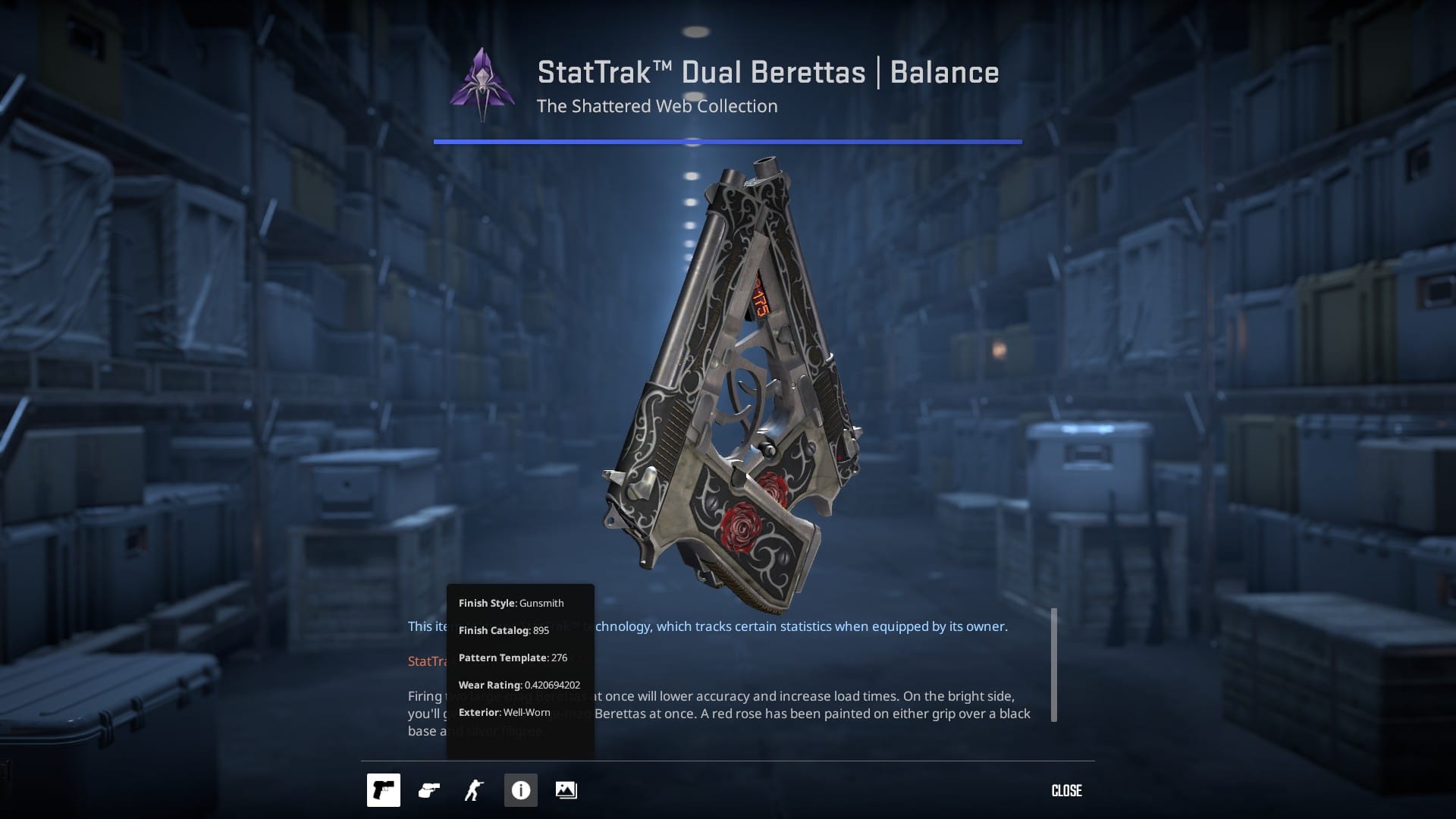
When you acquire a CS2 skin either from an unboxing, drop or a trade up it immediately gets few values: Finish Catalog, Pattern Template, Wear Rating and most important one in this article Wear Rating - Float.
Float value ranges from 0.00 to 1.00, and it is completely permanent. Once you get the value, it sticks with your skin forever, and can not be changed no matter how much or little you use the skin itself.
As a standard, the closer the value is to 0.00, the less skin wear and tear and the better the paint texture is preserved. Specific values are assigned to specific conditions, e.g., Battle-Scarred .0.45 – 1.00.
- Factory New 0.00 – 0.07
- Minimal Wear 0.07 – 0.15
- Field-Tested 0.15 – 0.38
- Well-Worn 0.38 – 0.45
- Battle-Scarred 0.45 – 1.00
Skins tend to change their appearance when the float value changes, even if it's from the same category. The best example for this are Field-Tested skins, that will often look much better with 0.15 float than with 0.37.
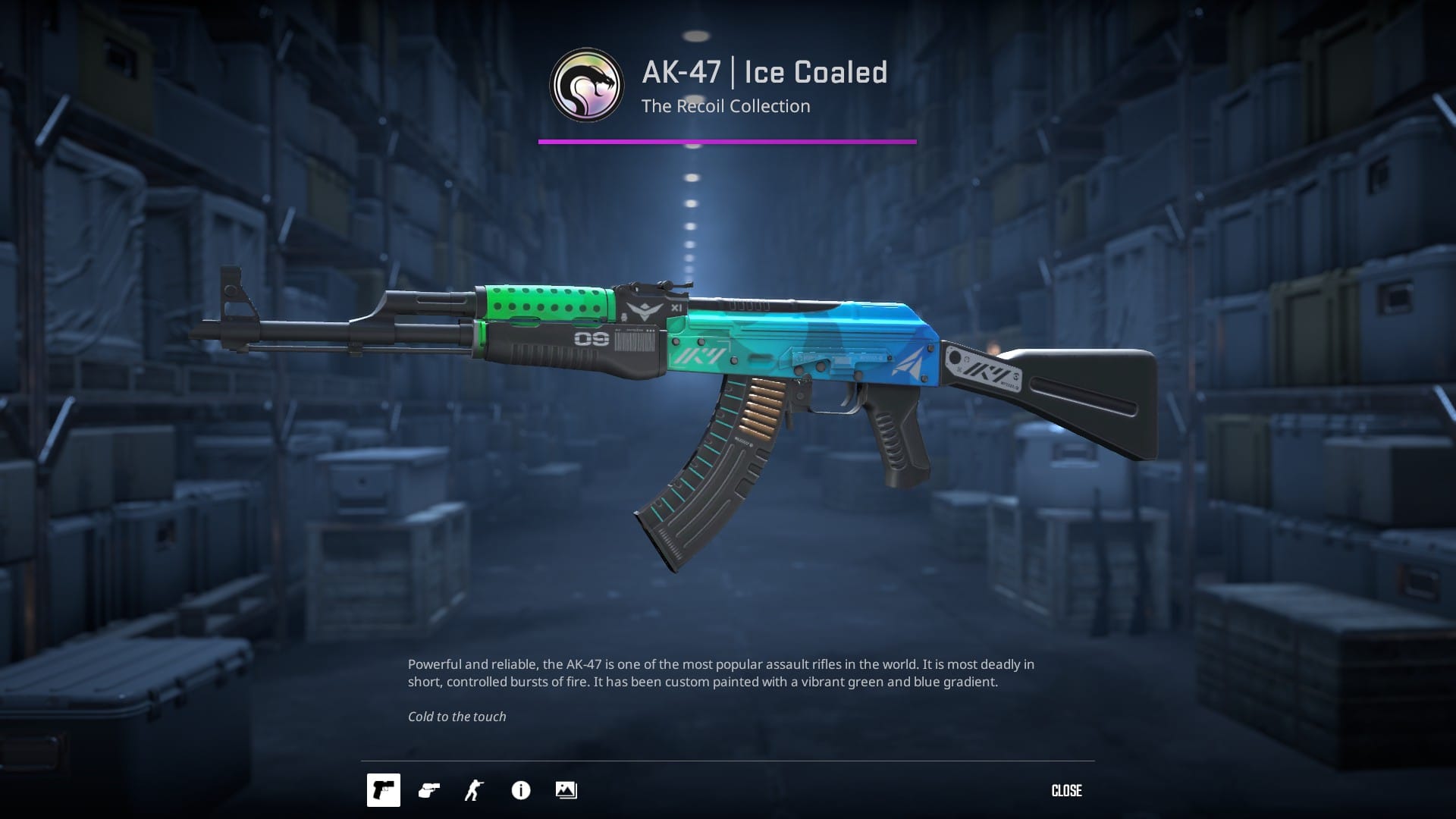
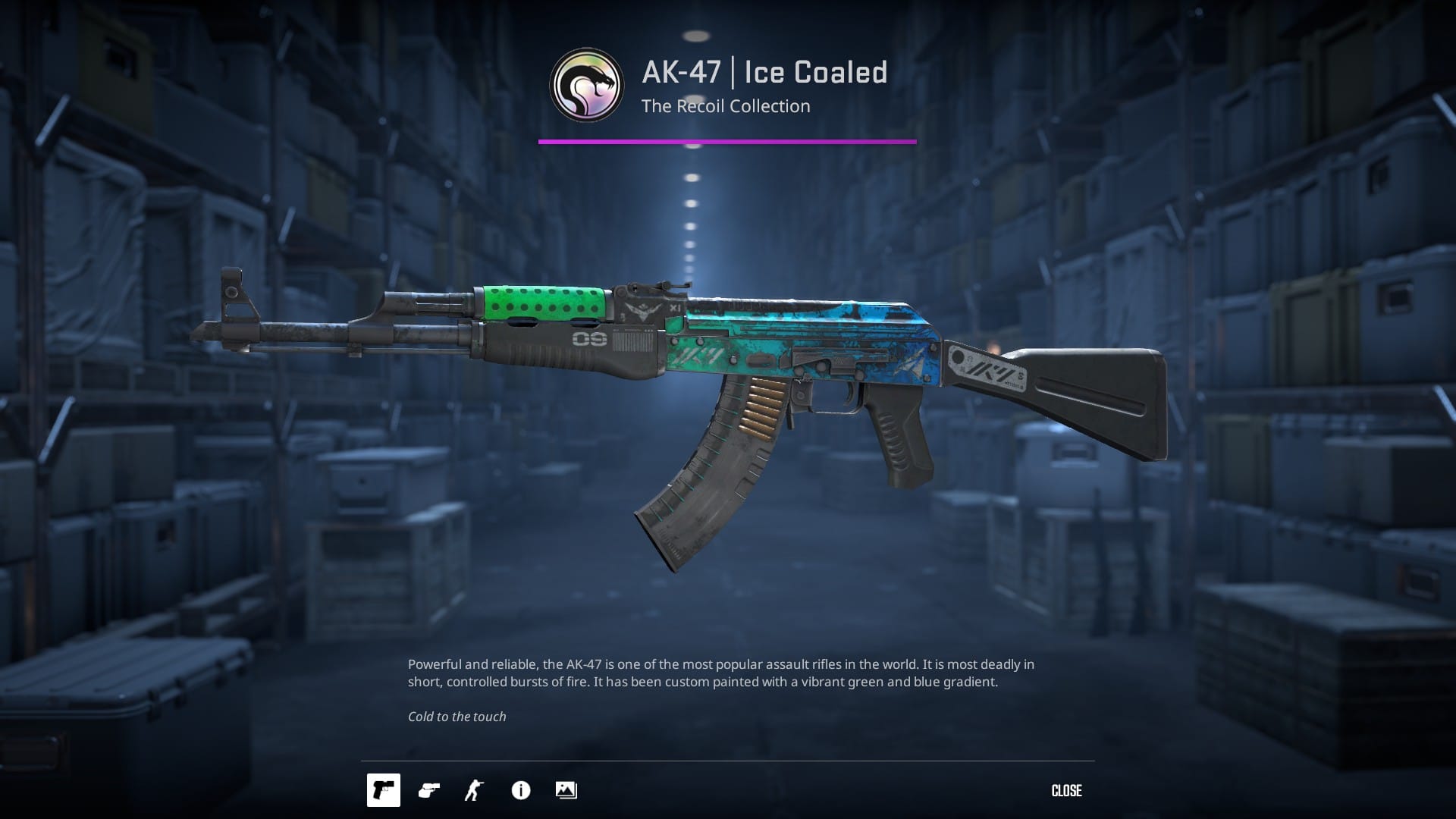
Factory New 0.00 – 0.07 VS Battle-Scarred 0.45 – 1.00
Why Float Affects Skin Value
The float value of a skin can significantly influence its market price. For example, a Factory New AWP Dragon Lore can be worth thousands more than the same skin in Field-Tested condition. Even among skins in the same wear category, those with lower floats tend to fetch higher prices (you can easily check it yourself by looking up for offers on similar skins but with much different prices). This is why float values are so important to traders and collectors, they frequently make purchasing decisions based on the exact float, not just the general condition label. All that because lower float (better condition) determines the cleaner look.
Float’s Impact on Visual Appearance
Many players falsely believe that all skins in the same wear category look the same. In truth, there can be a noticeable difference in appearance within a single condition tier. For instance, a Field-Tested AK-47 with a 0.16 float may still look sharp and well-kept, while one with a 0.36 float could appear much more worn, with visible scratches and duller colors. For those who value the visual appeal of their loadout, these subtle float differences can make a big impact, as shown below!
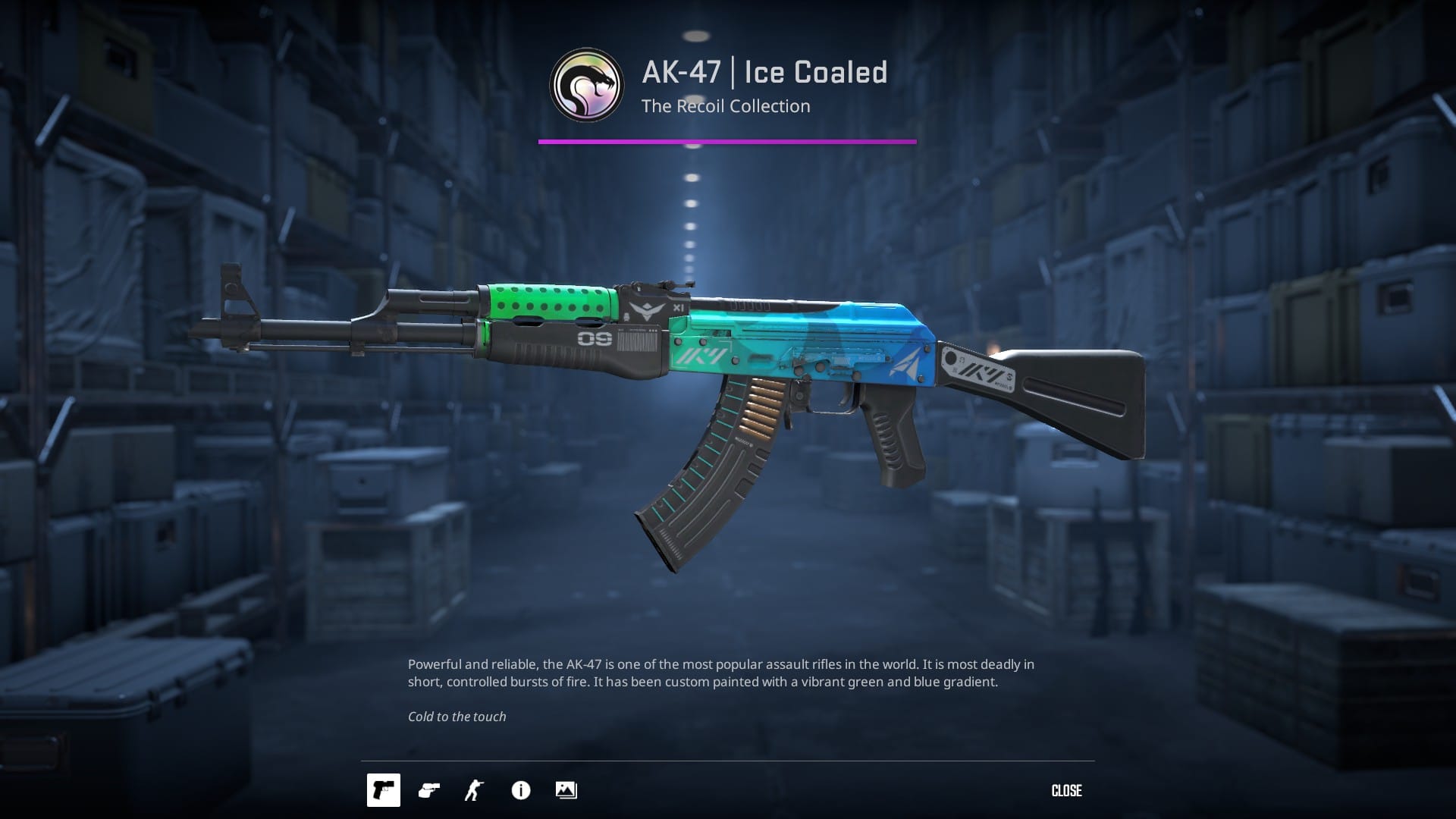

Both Field-Tested, but the left one looks less scratched
Collector Value and Rare Float Combinations
Skins with exceptionally low float values, like those starting with 0.0000xxx are highly sought after by collectors due to their rarity and near-perfect visual condition. On the flip side, extremely high floats nearing 1.00 can also attract attention for their distinct, heavily worn look. It's not only about looks, but sometimes also about fun or specific numbers. Floats that suit some birthday dates, numbers considered “funny” or lucky, tend to gain some recognition or even higher prices.
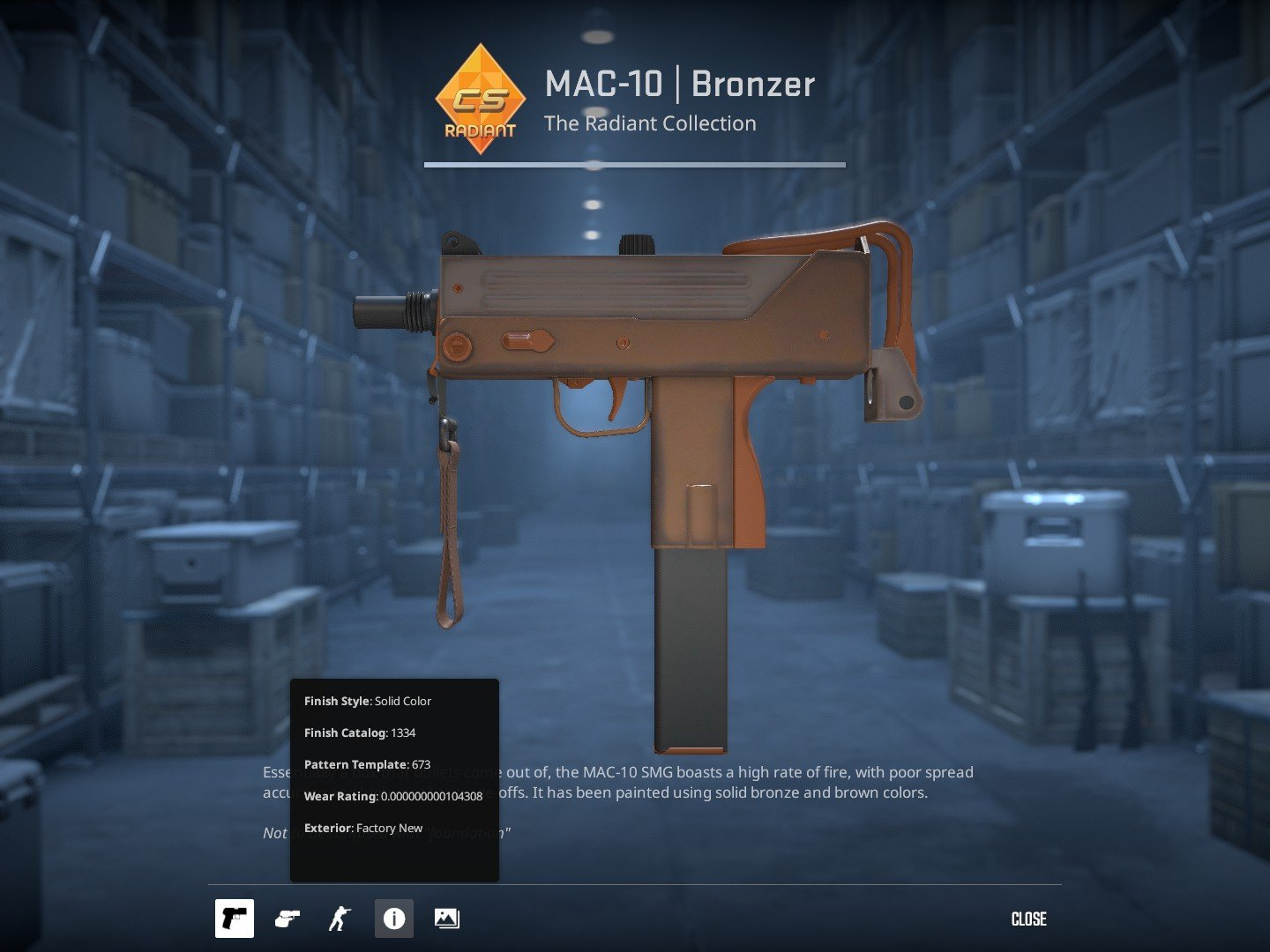

“Float limited” skins
Some items tend to have a thing called “float cap” that disallows them to have certain conditions. Classic example for this case is M4A4 Asiimov, which is only available in Battle-Scared, Well-Worn and Field-Tested conditions excluding Minimal Wear and Factory New.
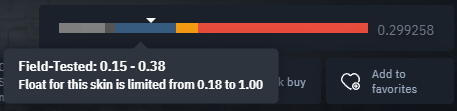
It works the same for many more items, well known cases are Doppler and Gamma Doppler knives that only appear in Factory New or Minimal Wear conditions.
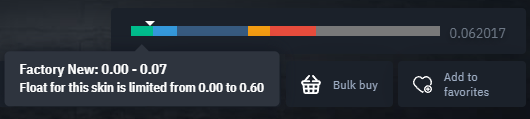
Some skins despite being available in all conditions tend to have different float caps. For example, Sawed-Off | Full Stop is impossible to get in 0.777 float, because it's limited to 0.6.
How to Check Float Value on a Skin
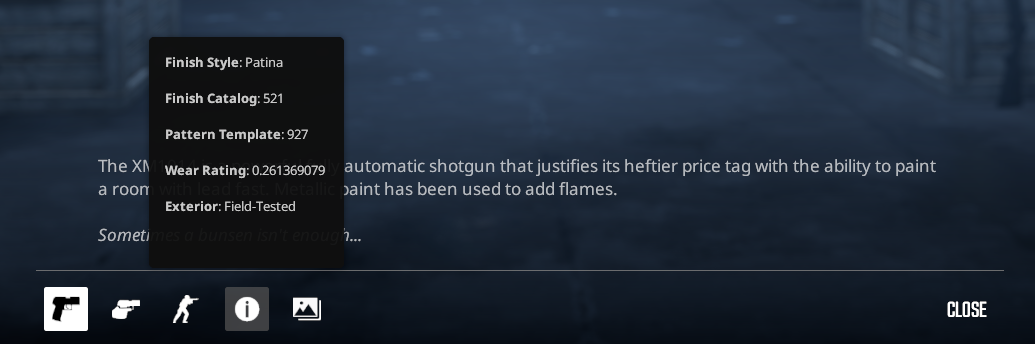
You can easily check the float value of a skin by inspecting it in CS2.
Open your inventory, right-click the item, and select “Inspect.” Then look at the details shown in the inspection panel.
Other possibilities
It is also possible to inspect the skin directly in game or by using BitSkins site, where all the information will be displayed as well as shown above.
Although if you are interested in checking the skin in game, you can do it by cs2inspects.com using guides listed below!
- How to Inspect Skins in CS2
- Inspect Skins 2.0 - Christmas Gift From BitSkins
- How to Inspect and Take Screenshots of CS2 Skins
Float and Patterns – What’s the Difference?
Float and pattern index are two separate things that both affect how a skin looks.
- Float determines the level of wear — how scratched, faded, or intact the paint is.
- Pattern index is a hidden number that decides how the artwork is positioned on the weapon. For example, a Case Hardened knife blue gem is entirely determined by its pattern, not float.
The same float but different pattern

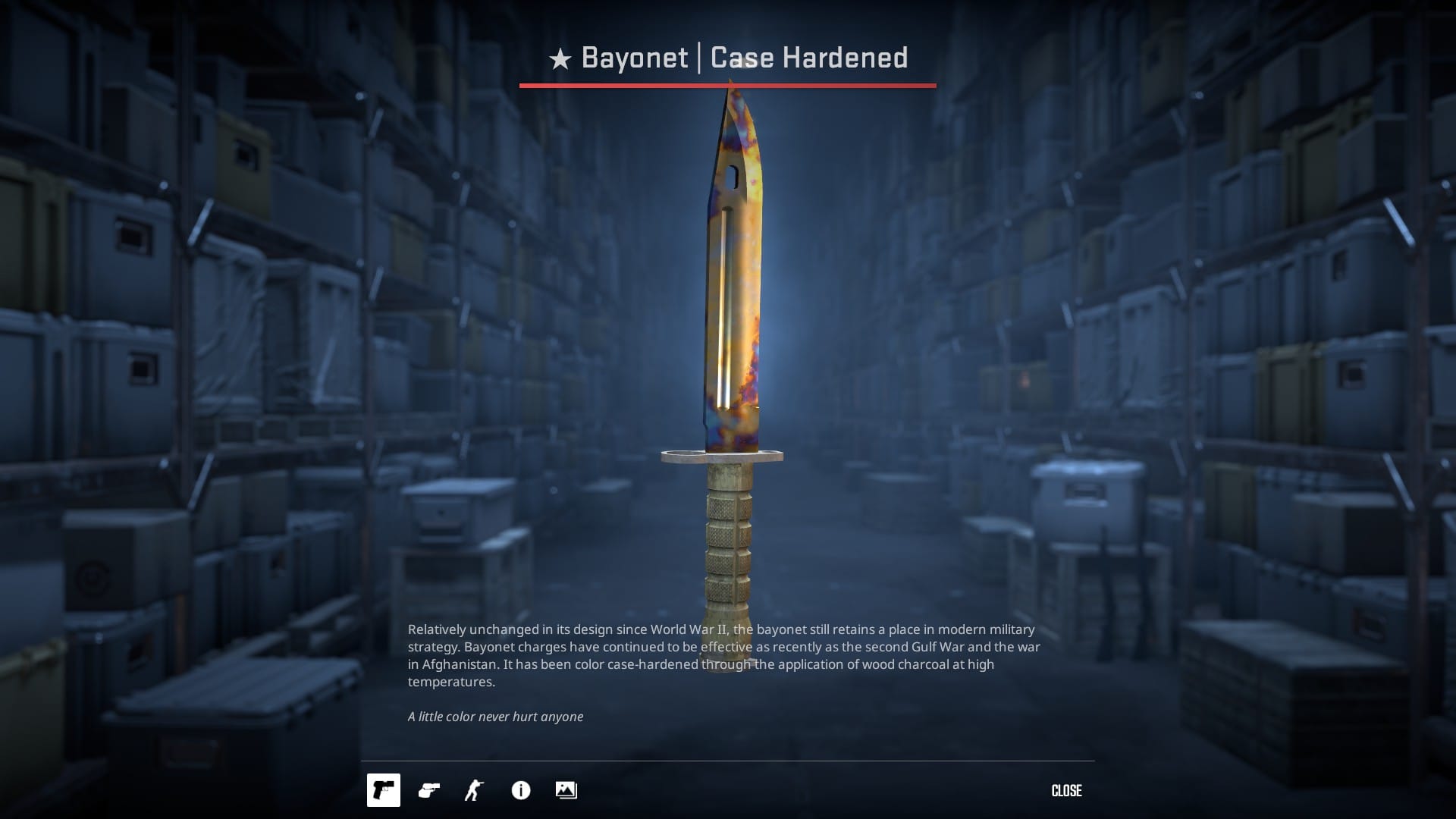
Same float (0.00x), pattern 171 on the left and 916 on the right
The same pattern but different float
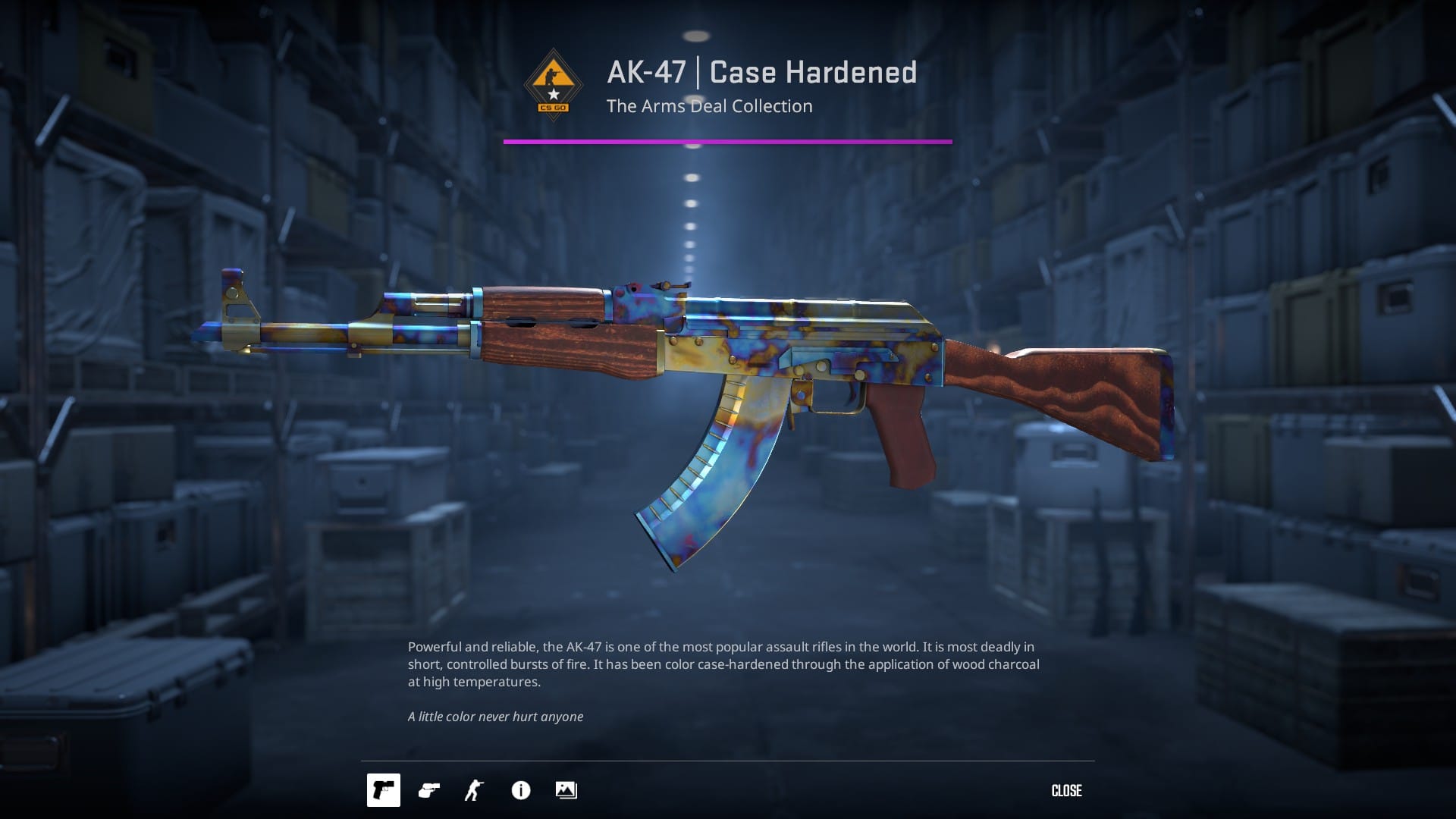
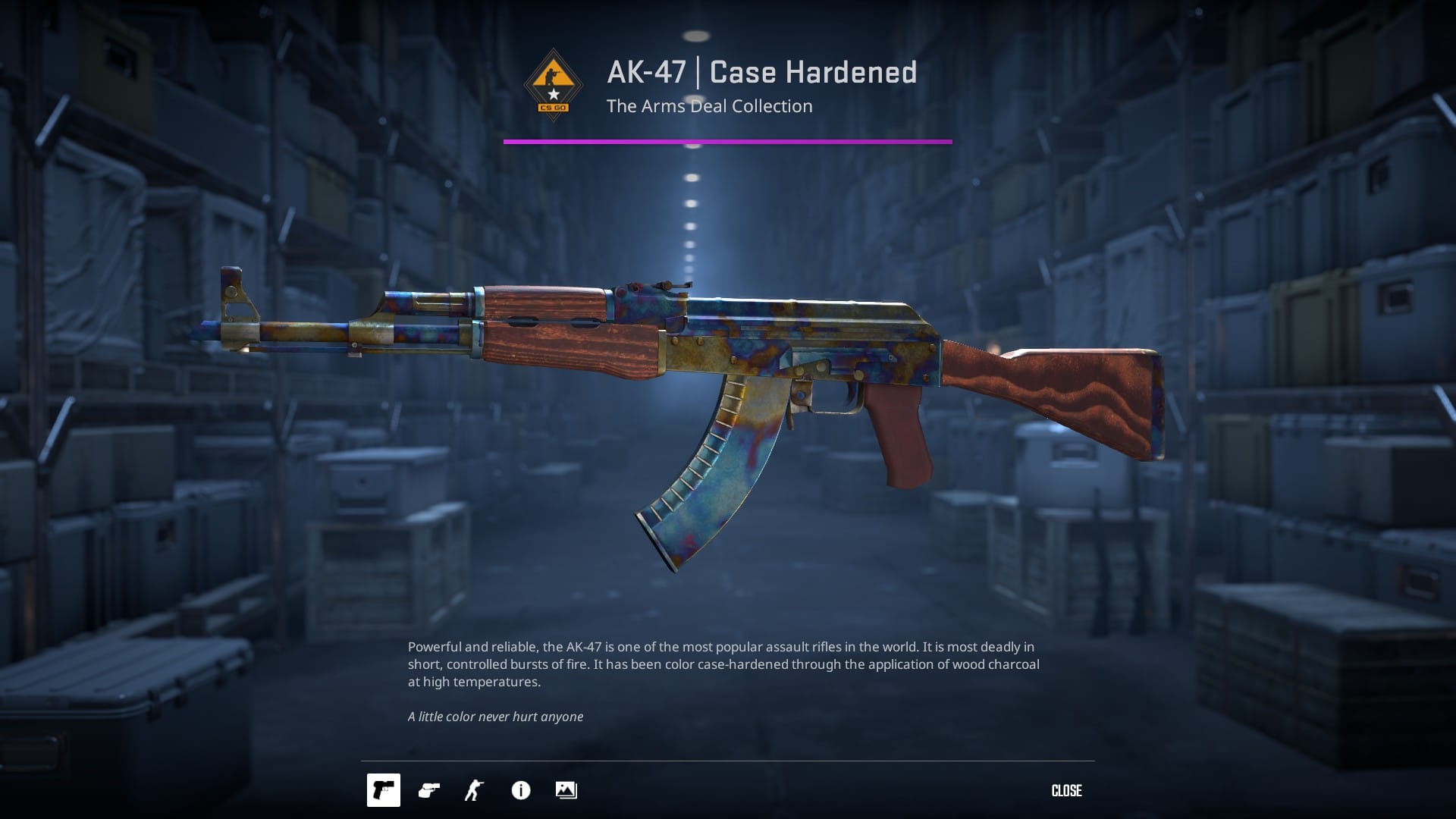
Same pattern (710), float 0.2 on the left and 0.82 on the right
Examples of Skins with Notable Patterns and Float Effects
Take the Case Hardened AK-47 as an example. The highly prized “blue gem” versions result from specific rare pattern indexes that display large patches of blue on the gun. The float value doesn’t change the pattern itself but influences how damaged or faded that blue section appears, a low float blue gem will look much more vibrant and typically holds a much higher price. The same concept applies to Doppler knives, where different phases are determined by the pattern, but the float affects how vivid and polished the colors look.
Summary
In CS2, every skin is assigned a float value (also known as wear rating) between 0.00 and 1.00 when it’s created. This value is permanent and determines how worn or clean the skin looks. Skins are grouped into five condition tiers based on float:
- Factory New (0.00–0.07)
- Minimal Wear (0.07–0.15)
- Field-Tested (0.15–0.38)
- Well-Worn (0.38–0.45)
- Battle-Scarred (0.45–1.00)
Even within the same tier, skins can look very different depending on their exact float. A lower float usually means a cleaner, more valuable item, which is why float heavily influences price, visual appeal, and collector interest. Certain skins are float-capped, meaning they can only appear in specific conditions, for example, the M4A4 Asiimov can’t exist as Factory New because of this limitation. Float is often confused with pattern index, but they’re separate, Float = wear level and Pattern = artwork placement.